
Data-Driven SEO Guide
Most websites don’t fail because they lack content. They fail because they don’t understand how users interact with that content. Pages get traffic, but conversions don’t happen. Some blogs rank, but users leave quickly. Without proper data, it becomes difficult to identify what is working and what needs improvement.
This is where data-driven SEO becomes essential. Instead of relying on assumptions, you can use real user behavior to guide your decisions. Understanding how visitors navigate your site, where they drop off, and what engages them allows you to optimize pages more effectively.
Google Analytics provides exactly these insights. When used correctly, it becomes one of the most powerful tools for improving on page SEO performance and driving better results from your content.
What Is Google Analytics and Why It Matters for SEO
Google Analytics is a web analytics platform that tracks and reports website traffic, user behavior, and performance metrics. In the context of SEO, it helps you understand how users interact with your pages after they land on your site.
What Is GA4
GA4 is the latest version of Google Analytics. It focuses on event-based tracking rather than session-based data, giving more detailed insights into user interactions such as clicks, scrolls, and engagement.
Difference Between Data and Assumptions in SEO
Many SEO decisions are based on guesses, such as assuming a page is performing well because it ranks. However, ranking does not always mean success. Data from Google Analytics reveals the actual performance, showing whether users engage, convert, or leave.
Key On Page SEO Metrics in Google Analytics
Not all metrics in Google Analytics are equally important for SEO. The key is to focus on metrics that reflect user engagement and content performance rather than vanity numbers.
Understanding these metrics helps you identify which pages are effective and which ones need improvement. It also allows you to connect user behavior with SEO outcomes.
- Engagement rate
- Bounce rate
- Average engagement time
- Sessions and users
- Pages per session
How to Analyze Landing Page Performance
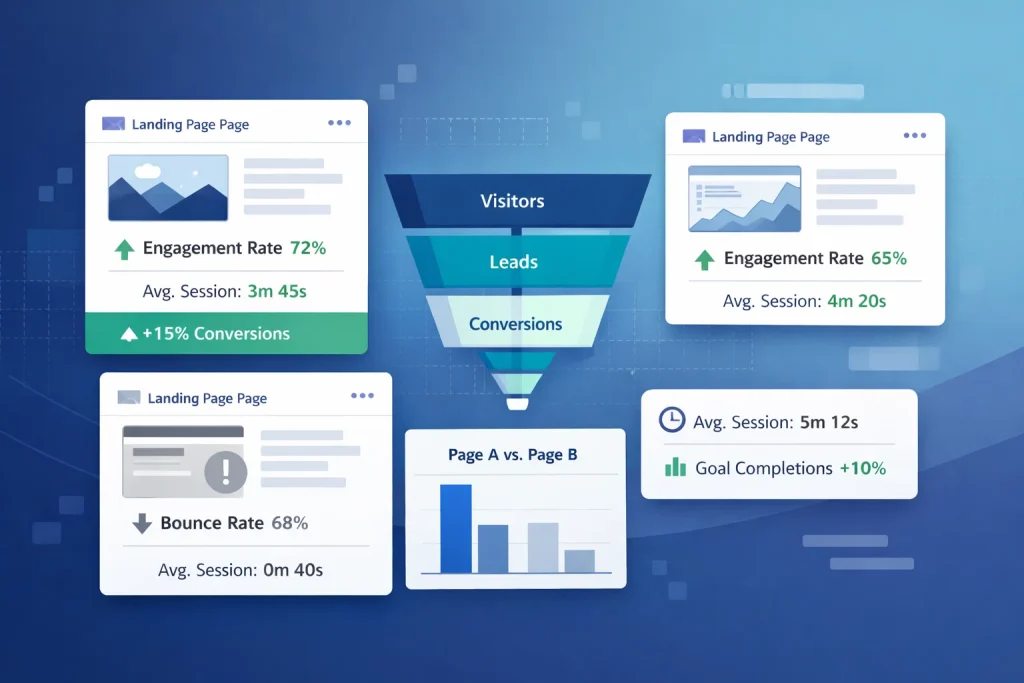
Landing pages are the entry points of your website. They are the first pages users see when they arrive from search engines, making them critical for SEO analysis.
By evaluating landing page performance, you can identify which pages attract traffic and how users behave after arriving. This helps you optimize content and improve user experience.
Finding Landing Page Reports in GA4
In GA4, you can access landing page reports under the “Engagement” section. This report shows which pages users land on and how they perform.
Identifying High-Performing Pages
High-performing pages usually have strong engagement rates, longer session durations, and lower bounce rates. These pages can be used as benchmarks for optimizing other content.
Detecting Underperforming Pages
Pages with high bounce rates or low engagement often indicate issues such as poor content quality, slow loading speed, or mismatched search intent.
Understanding User Behavior for SEO Insights

User behavior data provides valuable insights into how visitors interact with your website. It helps you understand whether your content is engaging, easy to navigate, and aligned with user expectations.
Analyzing behavior allows you to identify friction points and improve the overall user experience, which directly impacts SEO performance.
- Scroll depth
- Time on page
- Click behavior
- Exit rate
- Navigation paths
Using Google Analytics to Improve On Page SEO
Data alone does not improve SEO. The real value comes from using that data to make informed optimizations. Google Analytics helps you identify patterns and take actionable steps to enhance page performance.
By focusing on user behavior, you can refine content, improve layout, and align pages with search intent more effectively.
Improving Content Based on Engagement
Pages with low engagement may need better formatting, clearer messaging, or more relevant information. Updating content based on data can significantly improve performance.
Fixing High Bounce Pages
High bounce rates often indicate that users are not finding what they expected. Improving headlines, content relevance, and page design can help retain visitors.
Optimizing CTAs
Call-to-action placement should be based on user behavior. If users leave before reaching your CTA, it may need to be repositioned or improved.
Tracking Conversions and SEO Performance
SEO is not just about traffic. It is about generating meaningful results such as leads, sign-ups, or sales. Tracking conversions helps you measure the real impact of your SEO efforts.
By connecting traffic data with conversion data, you can identify which pages contribute most to business goals.
- Goal completions
- Conversion rate
- Event tracking
- Lead generation metrics
- Funnel analysis
Common Mistakes When Using Google Analytics for SEO
Many websites fail to get value from Google Analytics because they misinterpret data or focus on the wrong metrics. This leads to poor decision-making and missed opportunities.
Understanding common mistakes helps you avoid these issues and use data more effectively.
- Focusing on vanity metrics
- Ignoring user intent
- Misreading bounce rate
- Not segmenting data
- Lack of consistent tracking
Does Blog Content Perform Better According to Analytics
Blog content often plays a major role in driving organic traffic. However, not all blogs perform equally. Google Analytics helps you identify which blog posts are successful and why.
By analyzing blog performance, you can refine your content strategy and focus on topics that deliver results.
- Identifying top-performing blogs
- Updating outdated content
- Improving internal linking
- Expanding high-traffic topics
- Reducing bounce rates
Step-by-Step Process to Use Google Analytics for SEO
Using Google Analytics effectively requires a structured approach. Without a clear process, it is easy to get lost in data and miss important insights.
Following a consistent workflow ensures that your analysis leads to actionable improvements.
- Set up GA4 properly
- Identify key pages
- Analyze metrics
- Take action
- Monitor performance
Final Thoughts on Using Google Analytics for SEO Insights
Google Analytics is a powerful tool for understanding how users interact with your website. It transforms SEO from guesswork into a data-driven process, allowing you to make informed decisions and improve performance.
By focusing on the right metrics, analyzing user behavior, and taking actionable steps, businesses can optimize their on page SEO and achieve better results over time.
FAQs about Google analytics for on Page SEO
1. What is Google Analytics used for in SEO?
It is used to track user behavior, measure page performance, and improve SEO strategies based on data.
2. What metrics matter most for on page SEO?
Engagement rate, bounce rate, session duration, and landing page performance are key metrics.
3. How do you analyze landing pages in GA4?
By using the landing page report to evaluate traffic, engagement, and user behavior.
4. Can Google Analytics improve SEO rankings?
Indirectly, yes. It helps identify issues and optimize content, which can improve rankings.
5. What is engagement rate in GA4?
It measures how actively users interact with your website.
6. How do you track conversions in Google Analytics?
By setting up goals or events that track actions like form submissions or purchases.
7. Is GA4 better than Universal Analytics for SEO?
Yes, because it provides more detailed and flexible tracking of user behavior.